Why Your Entra Tenant Probably Has Orphaned Apps with Live Credentials
Enterprise Entra tenants accumulate years of vendor integrations, abandoned POCs, and forgotten service principals. Most have never been audited.
Most Entra tenants I have seen start clean and stay that way for about six months. Then a vendor integration lands. Then another. A team spins up a proof of concept that never gets decommissioned. An acquisition brings in a foreign app inventory. An engineer who owned three service principals leaves. Nobody inherits what they left behind.
Three years later, the tenant has several hundred enterprise applications. A significant portion of them have not had an authenticated sign-in in over a year. Some are carrying credentials that expired months ago but were never rotated or revoked. A few have application permissions that were scoped broadly during initial setup and never revisited. Almost none of them have an assigned owner.
This is the orphaned app problem in Entra ID. To surface it, I built a free, open-source tool called Enterprise-Zapp.
Enterprise-Zapp
Enterprise-Zapp is a read-only Python tool that queries Microsoft Graph against a set of hygiene criteria, scores each enterprise application from 0 to 100, and generates a report you can work from directly or export to CSV.
The setup creates a temporary app registration with minimum required permissions, using device code flow with no stored credentials. Run the scan, review the report, delete the temporary registration. No agents, no persistent access, nothing leaves your environment.
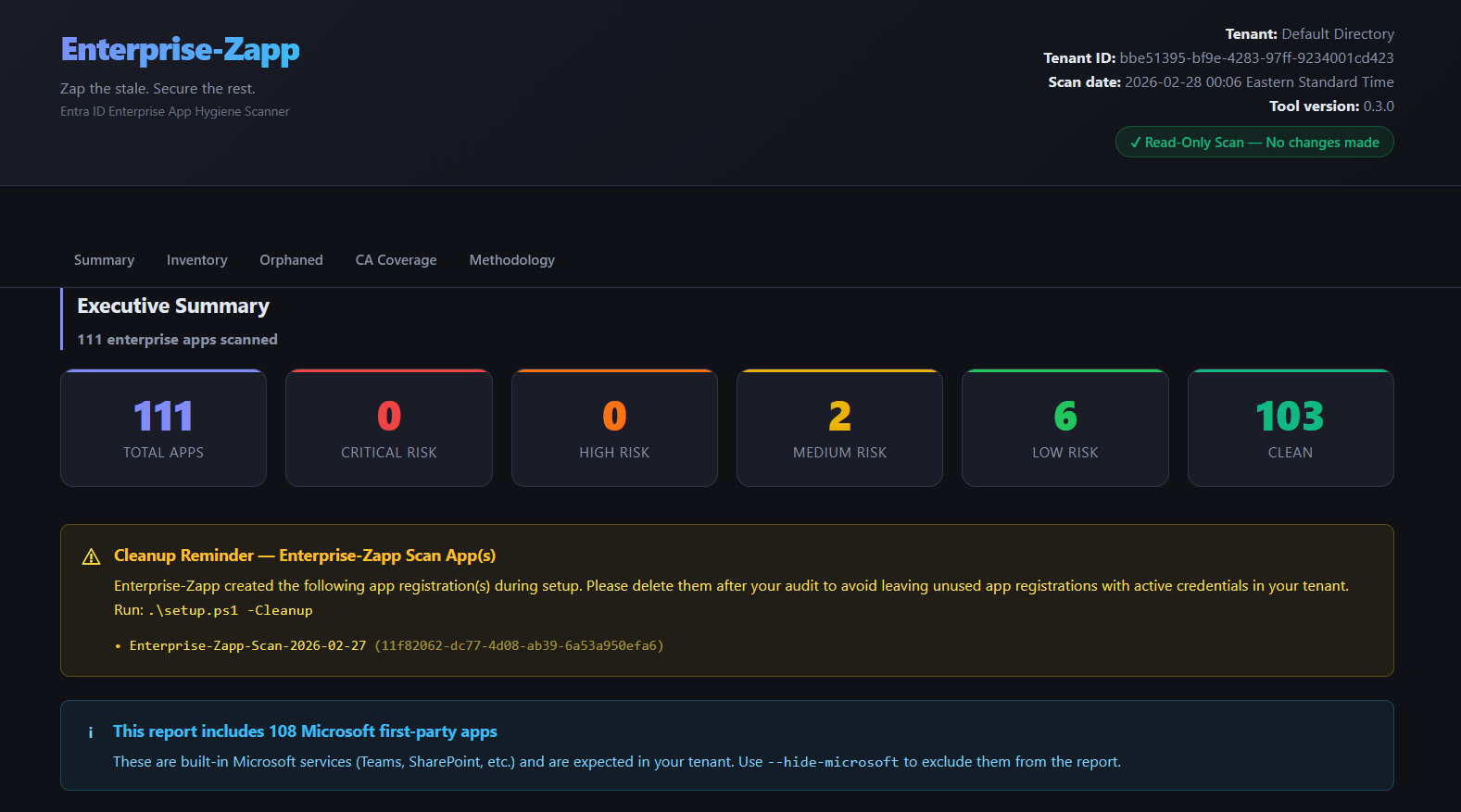
The report surfaces six categories of findings across your full app inventory: expired credentials, stale applications, missing owners, orphaned registrations, overprivileged service principals, and Conditional Access coverage gaps. Each app gets a risk score and a classification from Clean to Critical, with prioritized remediation guidance per app.
What It Actually Finds
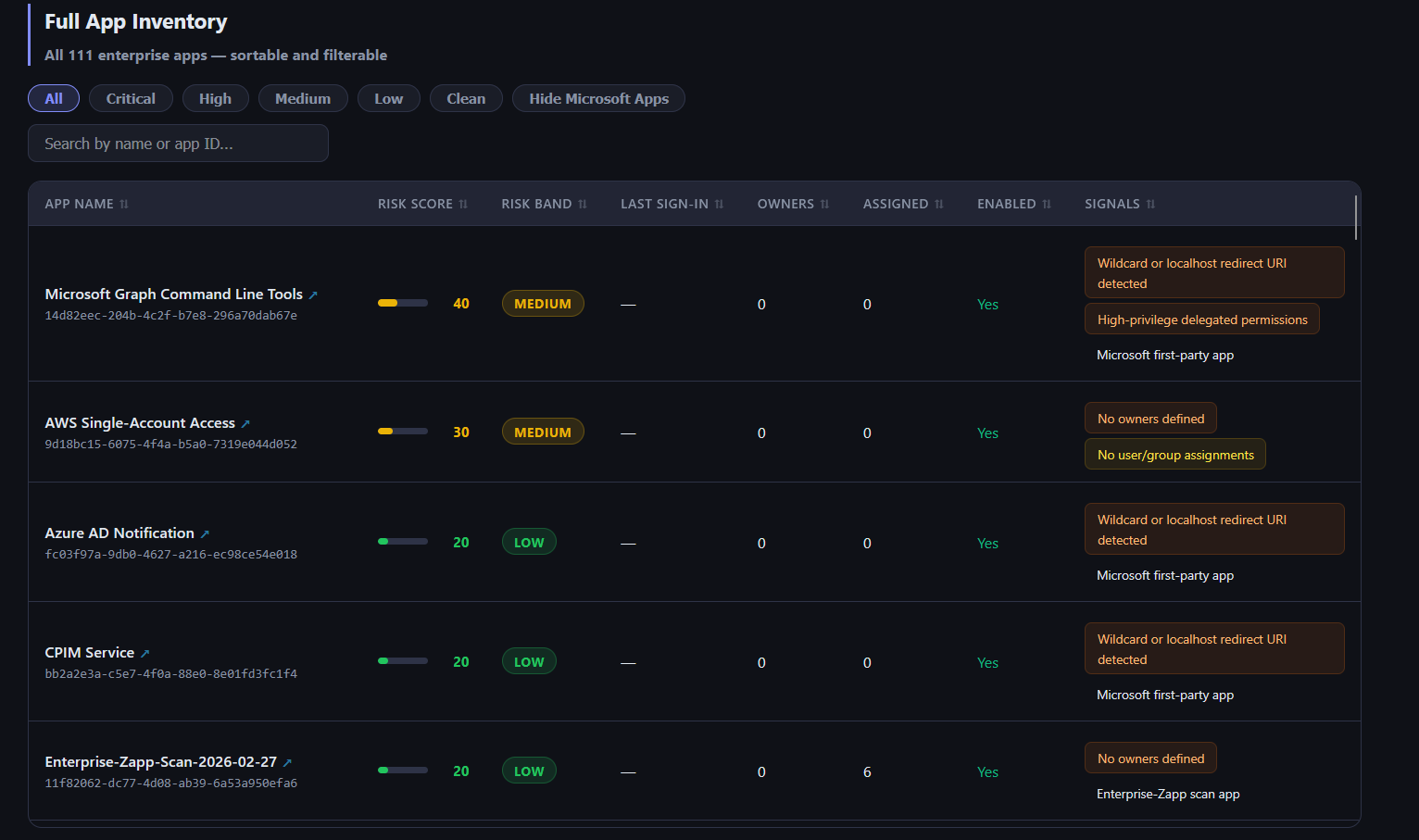
Even in minimal environments, the scan surfaces patterns immediately. A custom AWS integration with no owner assignment, no user or group assignments, and no sign-in activity on record. Enabled, sitting there, no one accountable for it. An app holding Application.ReadWrite.All as a delegated scope with a localhost redirect URI configured and no owner. These show up fast.
In a mature production tenant that has been running for years, those patterns compound across dozens or hundreds of apps.
Ownership gaps are the most widespread finding. Apps registered during vendor onboarding rarely get owners assigned because the person doing the work is focused on getting the integration working, not on governance. When that person leaves, the accountability disappears. The app does not.
Stale apps are the second most common category. An app that authenticated daily two years ago and has had zero sign-ins for the past 14 months is almost certainly supporting something that no longer exists. But it is still enabled, its credentials are still valid, and its permissions are still scoped.
Overprivileged permissions are the third category, and in some ways the most dangerous. When an app is first integrated, permissions are often scoped broadly to get things working quickly, with the intent to tighten later. Later never comes. The app gets forgotten, and the permissions stay. An app holding User.Read.All or Application.ReadWrite.All that no one owns and no one is monitoring is exactly the kind of foothold an attacker wants after they gain a low-privilege initial access.
Redirect URI hygiene failures round out the picture. Wildcard and localhost redirect URIs enable token theft via open redirect attacks. They appear in production tenants regularly, most often because they were added during development and nobody cleaned them up before the app went live.
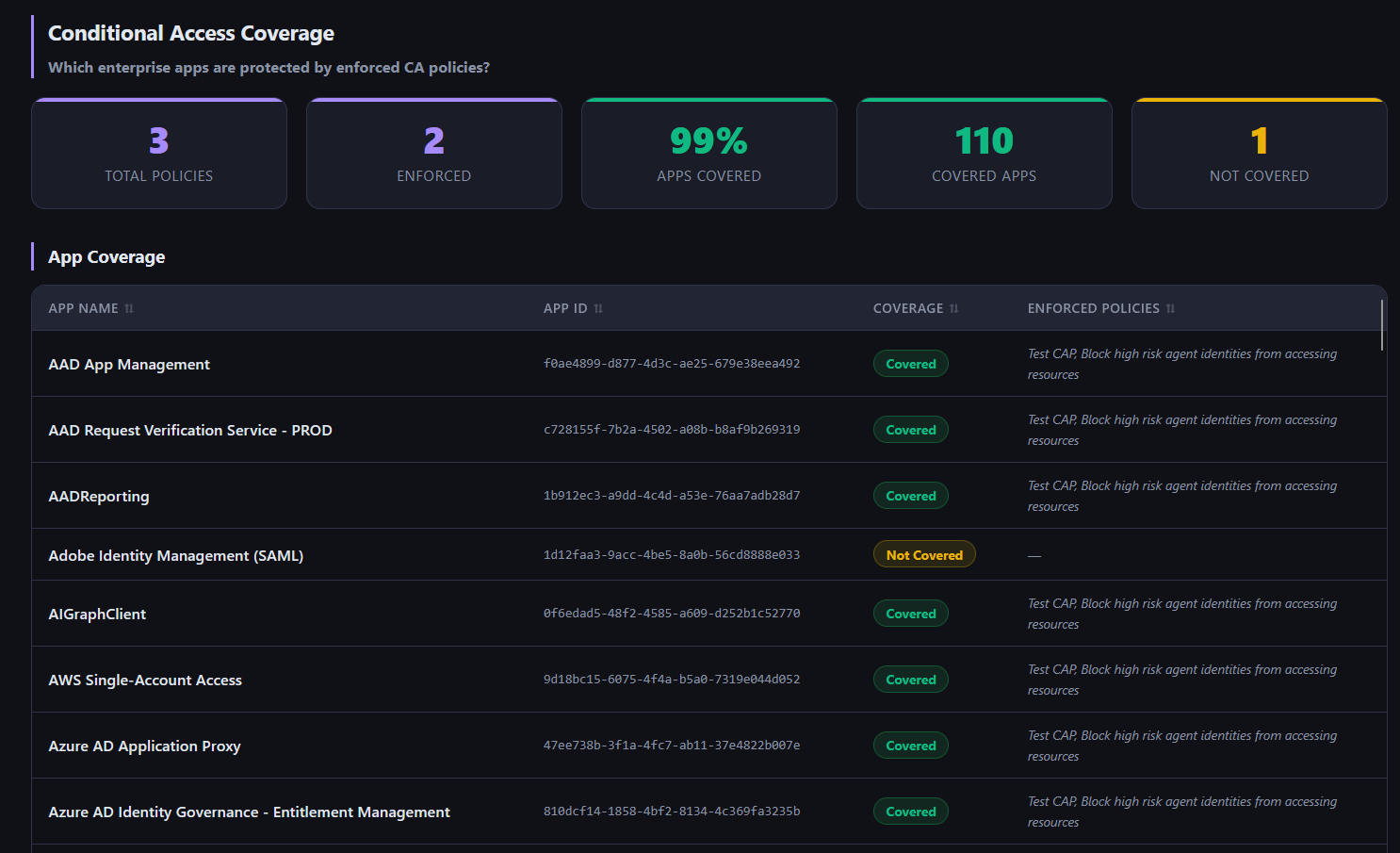
Conditional Access coverage gaps are the final category. The report maps every app against your CA policies and flags anything that is live but not covered. Apps added after your policies were written, or manually excluded during troubleshooting and never re-included, show up here. Users can authenticate to those apps without MFA or device compliance checks.
Why the Visibility Gap Exists
All of this information is available in Microsoft Graph. Entra stores sign-in activity, owner assignments, credential expiry dates, permission scopes, and redirect URI configurations. None of it is hidden.
But there is no built-in view in the Entra portal that surfaces this hygiene picture across the full app inventory at once. The Microsoft Secure Score captures some aggregate signals but does not give you per-app detail or a prioritized remediation list. Defender for Cloud Apps focuses on usage anomalies rather than structural hygiene. Commercial identity governance platforms exist but they are scoped for access certification workflows, priced for large enterprise programs, and not designed around the specific question of app hygiene.
The result is that most security teams have no routine, low-friction way to answer: which apps in this tenant are orphaned, overprivileged, or carrying stale credentials, and which ones represent real risk? Without that visibility, the hygiene debt just accumulates.
Running It in Your Environment
Enterprise-Zapp is free and takes about 15 minutes to set up. For a tenant that has never been systematically audited, the findings are usually a useful forcing function. Not because the problems are surprising once you see them, but because seeing them all in one place, scored and prioritized, makes it possible to actually do something about them.
More posts
How Vulnerability Research Has Changed in 2026: Slop, Signal, and CVE-2026-7787
Vulnerability research has changed. An AI sweep produces leads by the pile, and the line between automated slop and a useful report is blurry. What separates them is the verification and judgment applied afterward, which is how one lead became CVE-2026-7787 in Langflow.
Stay in the loop
I write about the security topics that interest me: IAM, cloud security, automation, threat intelligence, phishing, and incident response. If this was useful, there is more where it came from.